Since every application installed on the Android device runs in an isolated environment, they are restricted to access system resources without the appropriate permissions.
Runtime Permissions were introduced by Google with the release of Android 6.0 (devices running Marshmallow). Permissions were requested when the user is actively interacting with the application instead of, at the installation.
The Runtime permissions partially address the user concerns over their privacy and give them the control of allowing, revoking apps from accessing sensitive data.
There are more than 450 permissions that can be added to the AndroidManifest.xml and these are segregated into three protection levels. The three protection levels include:
- Normal Permissions
- Dangerous Permissions
- Signature Permissions
The name says it all, Dangerous permissions if misused, the user privacy is compromised, unlike Normal Permission where there is less risk for user privacy and most of the Signature Permissions are granted to the apps that have the same digital signature.
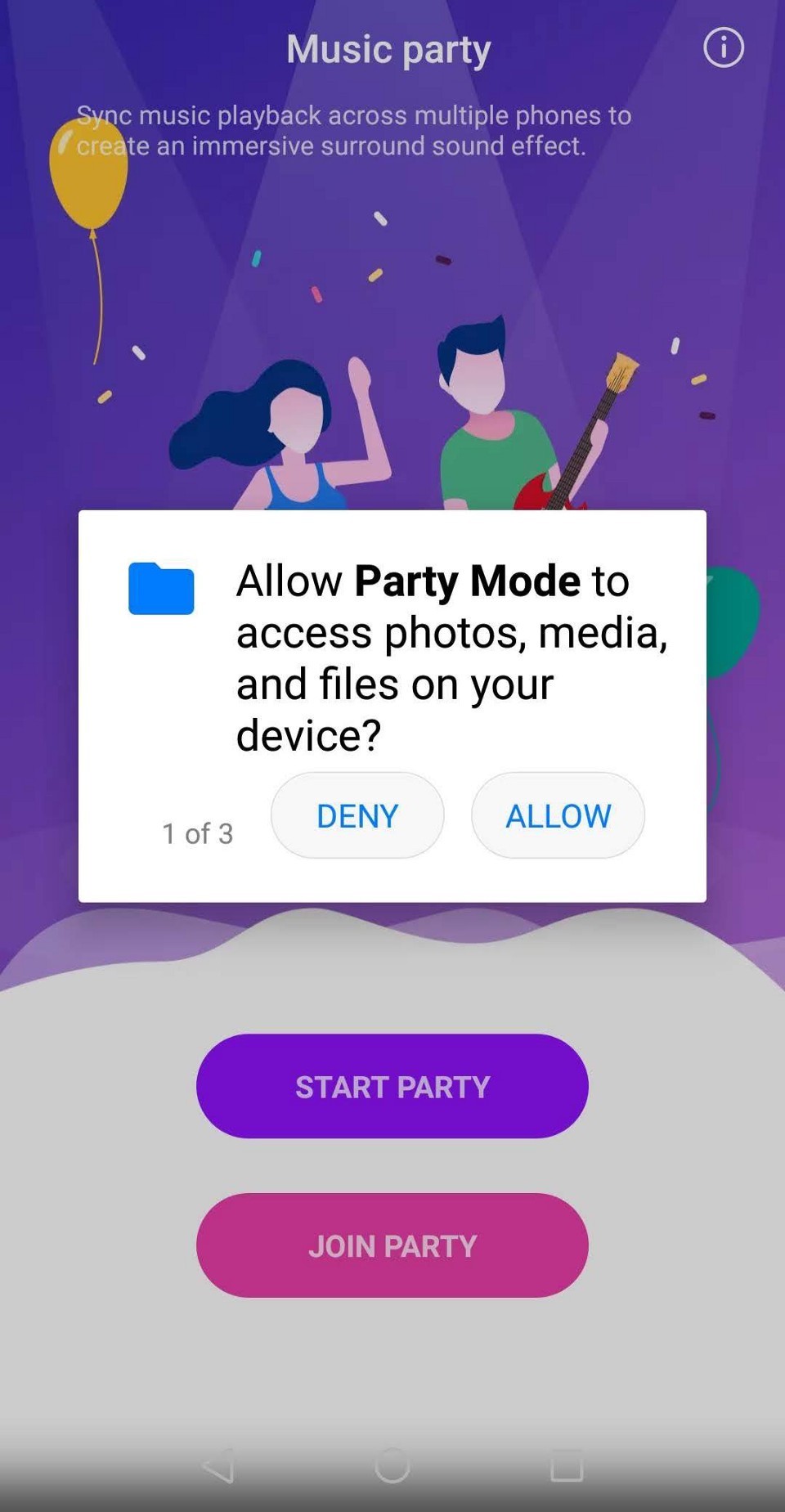
Dangerous Permissions are to be requested and granted by the user during the app runtime while the Normal Permissions are granted without user consent and during the install.
Both permissions are added to AndroidManifest.xml . If Runtime check is implemented for a permission without adding it to AndroidManifest.xml , then the system ignores the permission check.
When a permission is denied, it should be gracefully handled by the developer by showing a bottom sheet (or a dialog) explaining the user, the reasons behind requesting the permission and how granting the permission will help the user. If still denied, disable the feature (in case of a chat app where the user is trying to upload an image) or let the user manually enter the address (in case of auto-filling the edit text fields from location).
Developers can also choose to show a short or a detailed description prior to the permission request but don't take the user to the settings screen to allow the permissions if denied once. Do so only if they checked the Never Ask Again .
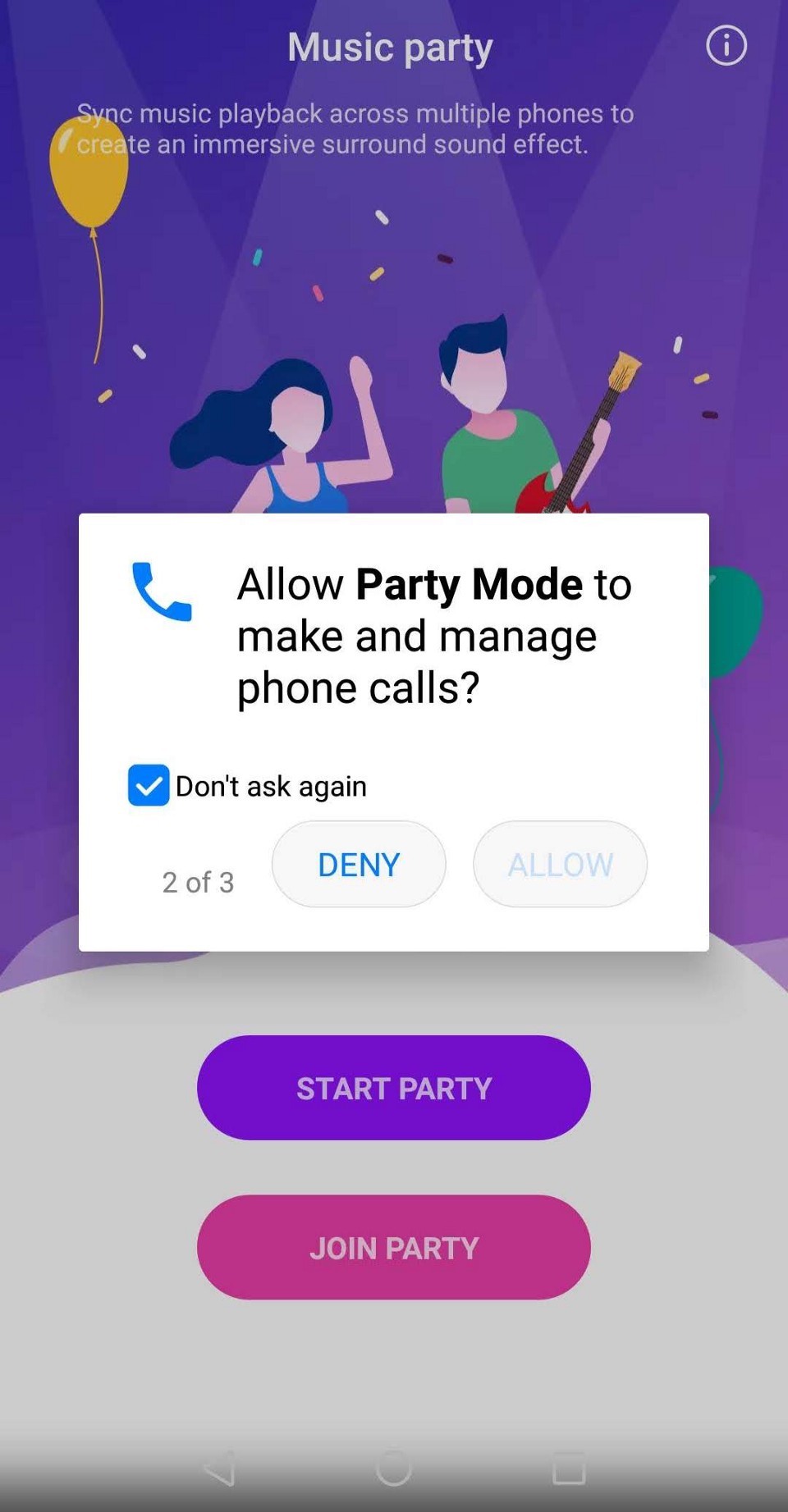
Requesting permission at the appropriate time will make a considerable difference in the acceptance ratio of that permission. And, asking the permission frequently and in-appropriately will push the user to select Never Ask Again checkbox.
Take Uber application for example which requests the Phone permission and SMS permission every time during OTP validation for a payment. The end users understand that the SMS permission is requested to auto-fill the OTP but if the denied the SMS permission the first time then showing the permission request infrequently will reduce the chances the user will check the Never Ask Again checkbox.
Dangerous Permissions of similar type are categorised into meaningful Permission Groups. They are listed below:
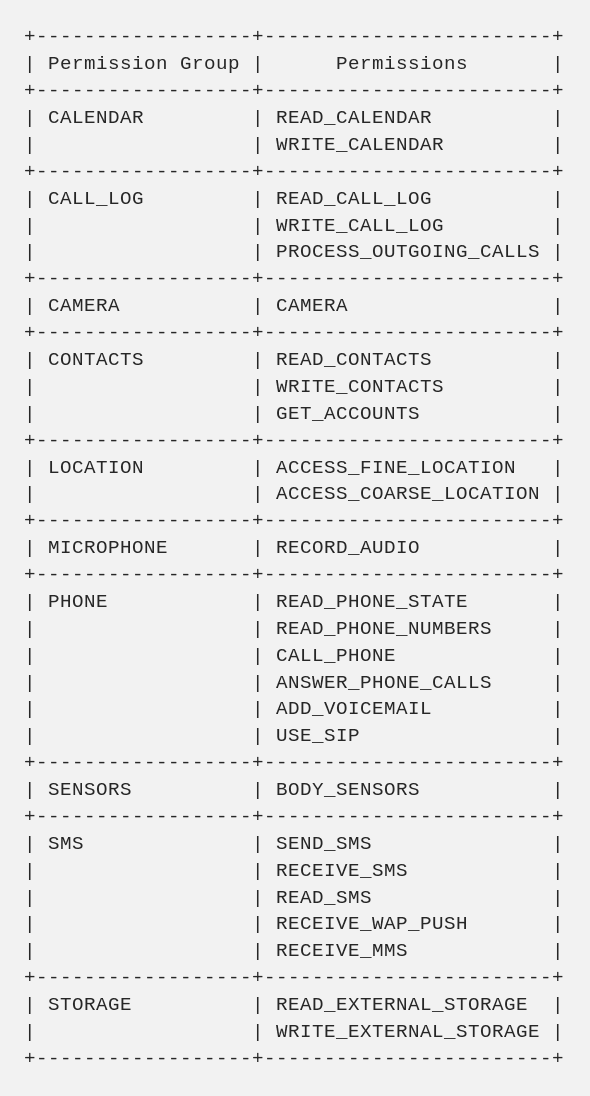
Take a look at the Runtime Permission Groups for the updated list as the group has changed and may change in the future with user privacy in focus.
Notable changes include but not limited to moving READ_CALL_LOGS , WRITE_CALL_LOGS and PROCESS_OUTGOING_CALLS out of PHONE permission group to CALL_LOG permission group and the addition of ANSWER_PHONE_CALLS in API 26 (Oreo).
Permissions are granted based on the permission group. Let say if a permission READ_CALL_LOG is granted by the user when a permission dialog is shown then the developer can request WRITE_CALL_LOG or PROCESS_OUTGOING_CALLS anytime and the permissions are granted without user consent. (This leaves holes in the permission system security and we will discuss this in detail under the improvements section of the article.)
Even though the permission model was introduced in 2015, many apps failed to integrate and request the Runtime Permissions in their apps. Instead, they choose to forcefully take all the permissions at the installation.
From August 1st, 2018, new applications uploaded to the Google Play Store had to target the SDK version 26 and from Nov 1st, 2018, any update to an existing application had to have the target SDK version set to 26. API version 26 corresponds to devices running Oreo.

This was released as a requirement to force developers that are trying to use lower SDK version number (especially targetSdkVersion to 22 or 21 ) to skip the implementation of Runtime Permissions and some of them are collecting the user data without the consent.
Google Play's target API requirement policy reduces the risk of user privacy where the app requests for all the permissions android provides will no longer receive access to the data and are now forced to request the necessary ones. Google mentioned that it will continue to update the target requirements, so watch out for the changes.
We are now in December, which means every application has to implement Runtime Permissions and even the Android Studio will throw an error if tried to build a release apk or aab.
There are multiple steps the developer needs to take to reduce the number of permissions the user see in the Settings screen.
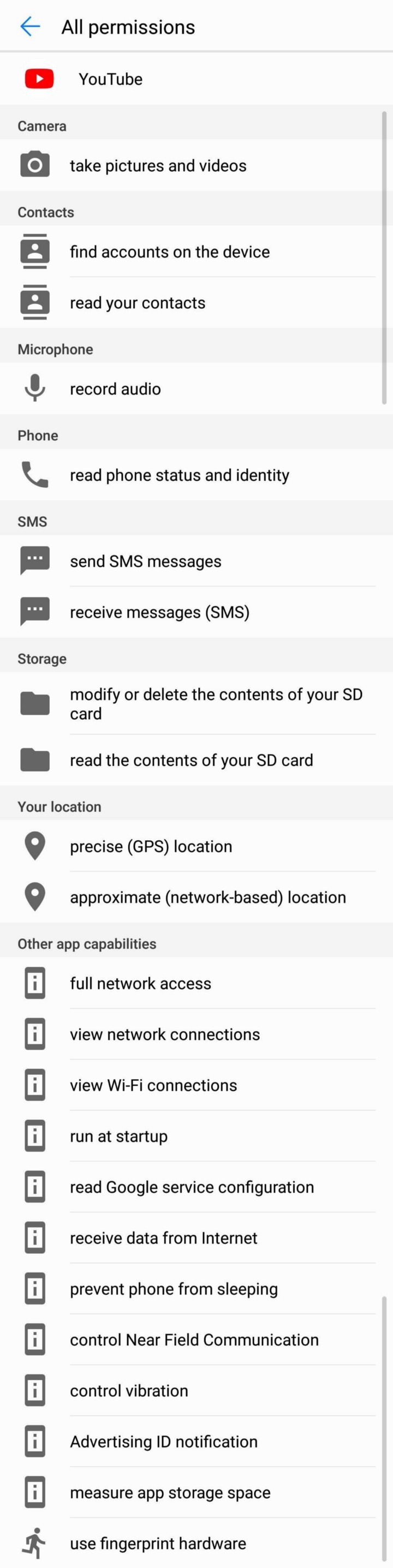
Implicit Intents. Try to limit the permissions that are added to the AndroidManifest.xml file and use implicit intents to perform the action. For example, if the developer wants to share a video via SMS to a Contact simply open the SMS app with an implicit intent with the custom message as an extra rather than letting the user select the contact and customise the SMS inside the app.
Custom UI is tempting but in the above case, unless the permissions are also used in other places in the application with no availability for an implicit intent then you can go with the custom UI.
We are interested to see if YouTube removes the SMS permission in the future update in support of its recent restriction over SMS/Call Logs or violates its own terms (Since there is no way Reading and Sending SMS for YouTube app is considered as core functionality).
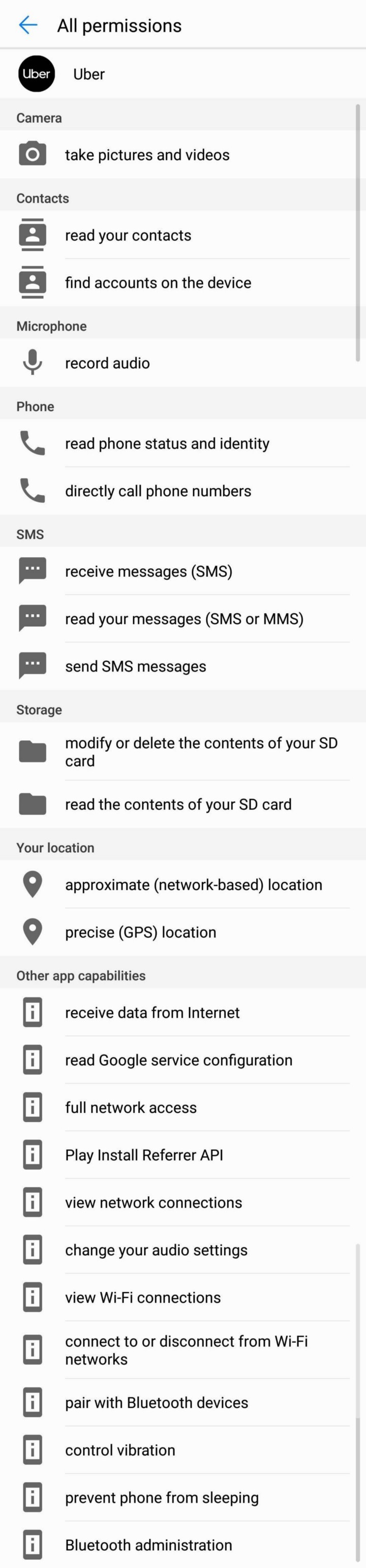
Increased number of permissions (not restricted to Runtime Permissions) will reduce the trust the user will have on the application. Based on the category listing in the Google Play Store and the app functionalities described in the description, users take an educated guess of what permissions are required. So, not letting the user cross Splash Screen might provoke some users to uninstall the application.
Requesting multiple permissions will also reduce the chances the user will allow them. Mostly the developer needs one and in rare cases require two permissions to display the content or show a preview on the screen.
Beware of Third-party Libraries. Use of third-party libraries is most common in Android Development. This is the best way to integrate advanced features and quickly reach production ready but they come with multiple risks. I'm not going to go into all the issues but the one such issue is the permissions that added to the apk (or aab) after Manifest files are merged.
One such library is CameraKit which was adding Camera Permission, Storage Permission, and Audio Permission to the application but we were using just the camera preview feature offered by the library and not for the video preview.
This will increase mistrust among the users as there was no other feature in the application that uses Audio permissions. To remove excessive permissions, add the permission to the AndroidManifest.xml file along with remove node marker.
There are numerous applications in the Google Play Store, whose comment section is filled with users that raised concerns about the permissions the application requests. In some cases, it's the application that is requesting excessive permissions and in other cases, we have seen developers explaining to the irked commenters that the permissions were added by the integrated third-party libraries.
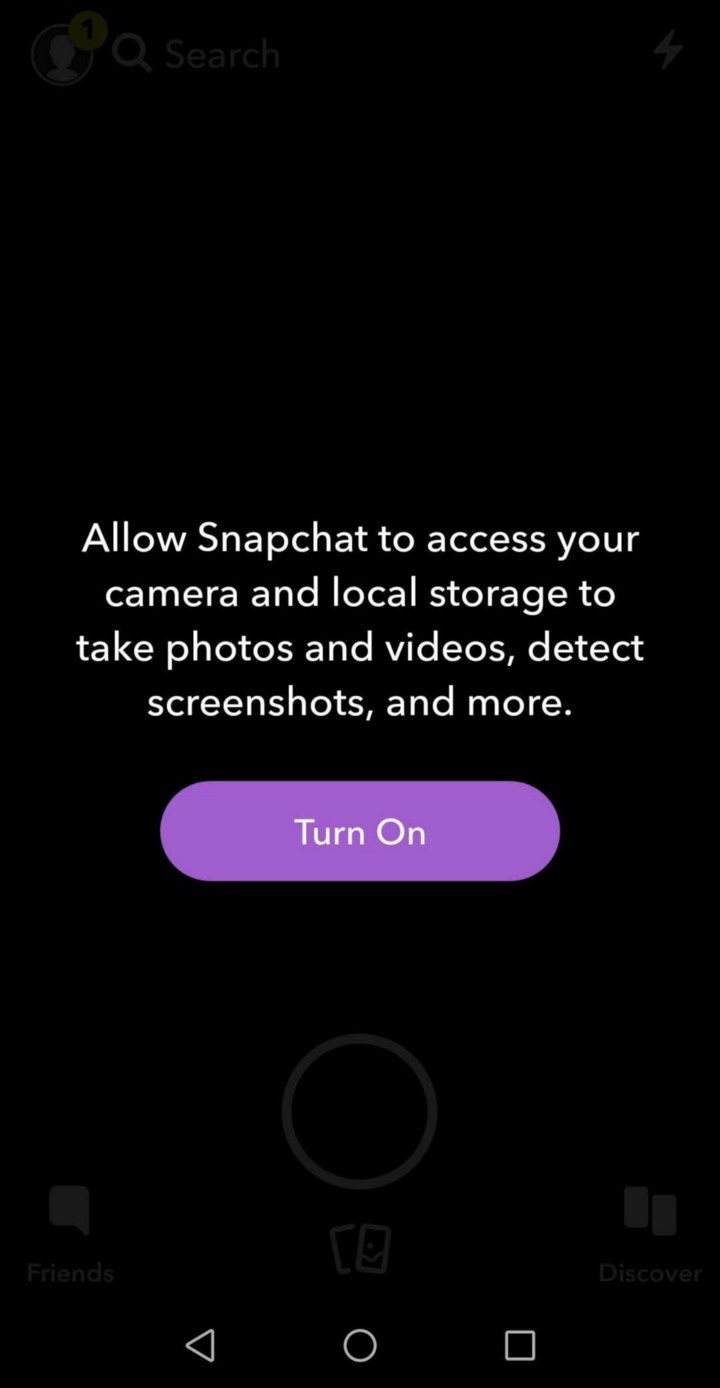
Permission Dialog Message. When any individual permission of a permission group is requested, a common message is shown along with allow and deny buttons. For example, SEND_SMS and READ_SMS permissions belong to SMS permission group and when either SEND_SMS permission is requested or READ_SMS permission is requested, the system shows "send and view SMS messages" as the message.
This is a simpler way to make the average user understand that the app wants to access SMS on the device but the privacy-concerned users face trouble understanding whether the app intends to Read the SMS stored on the device or Send an SMS on behalf of the user.
There may be cases where the user doesn't want to even temporarily provide an app access to Read the SMS stored on the device but only prefer to provide permission to Send SMS.
One such example is in case of a malicious Unified Payments Interface (UPI) enabled applications, where the apps require to send an SMS to verify the SIM card with the Bank but there is no use case to allow the application to read the SMS. It is hard to differentiate the exact permission the application is requesting and restrict it to the individual permission rather than the group.
Recently, Google started restricting access to SMS/Call Logs permissions and threatening the developers to remove the application if not applied, accepted Google Declaration Form . But the use case is beyond the SMS permission.
There are improvements that can be made to the messages the permission dialog displays.
Permission Leaks. The permissions are granted based on the UID and not based on the application. Take Microsoft Word, Microsoft Powerpoint, Microsoft Excel as an example. All these Microsoft applications have the same UID and at the start, they request permission to access external storage. If the user has granted the permission for one application then all the other applications will also obtain access to the user device Storage.
The user can't revoke the permission from the Settings for a particular Microsoft application like Excel since this will revoke the permissions of all the other apps like Powerpoint and Word.
Shady developers can have a genuine engaging application and a malicious application with the same UID installed on the user device and the malicious application can have access the sensitive information if the user has granted permissions to the genuine application. In this case, the user has no control over which applications they grant permissions. It either all or none.
Revoke Normal Permissions. The end user can revoke the Runtime Permissions of an application from the Settings screen but they can't revoke Normal Permissions. It makes easier for the developers where they have to handle fewer permission checks during the feature implementations but the end user privacy can be misused.
Developers prefer more flexibility when implementing the applications and the users prefer more control over their privacy.
Misuse of permissions by companies and unreliable developer policy changes by Google are creating a lack of trust for both the average user and the developers on the Android Ecosystem.
During the time of its release, Runtime Permissions was a right step towards respecting user privacy but failed to evolve since then and numerous Dangerous permissions were downgraded to Normal Permissions (One such permission was the Internet Permission).
As of the current form, Runtime Permissions is a hassle to implement and provide a false sense of security to the user.
Disclaimer: The views expressed in the article belong solely to the author and not necessarily the author's current or previous employers or organizations.